
How I quickly make a rough idea board for a new pattern collection - 10 minutes max

Updated: Aug 4

I was just sitting on the couch, feeling a little tired and with a stubborn cold, when suddenly a colourway appeared in my mind. This is often the case and since my brain is a creative chaos, I need to get things on paper really fast to remember them the next day (or hour!).
The colourway that popped into my mind this time was a combination of lavender/lilac, orange, and crème. I don’t think I’ve created something with this particular colourway before, but at least I want to have some ideas for a pattern collection on paper - or iPad really - so as not to forget. However, I changed my mind and chose a different colour palette that felt more "me" and also is a nice fit for autumnal designs.
It took me about 10 minutes to jot down some inspirational pictures from Pinterest and sketch down a few pattern ideas and colour swatches. Having finished it so quickly and being happy with the result, I realized that I should share this with you. Maybe you have a very good and simple way to get your ideas out of your head really quickly, but some of you might appreciate this, so here we go!
I use Procreate on my iPad Pro all the time and everywhere, but you can use whatever app you like and even paper and coloured pencils.
Here we go!
I opened Pinterest and searched for lavender and orange inspiration and saved a couple of images with pretty motifs that reflect my vision. VERY IMPORTANT: it's okay to download and use images from Pinterest or any other source for PRIVATE use only! You can never share them publicly without the consent of the creator or a payed license. For that purpose I use royalty free images from Unsplash in this demo, since I share it here on my website.
I then placed the images in a blank Procreate document (the size doesn’t really matter, but don’t go too small in case you want to expand the idea board later).

Then I tried out colours. I used the colour picker tool with the images and I also chose some manually from the colour tool in Procreate.

I like to use a brush that suits my style and way of drawing so that the idea board doesn’t look too different from my other artwork. With the brush, I sketch small thumbnails with pattern ideas. I work very quickly and the sketches are very rough, so I’m sure to get the idea down and not sink into pattern making instead (easily done since I love that part soooo much).
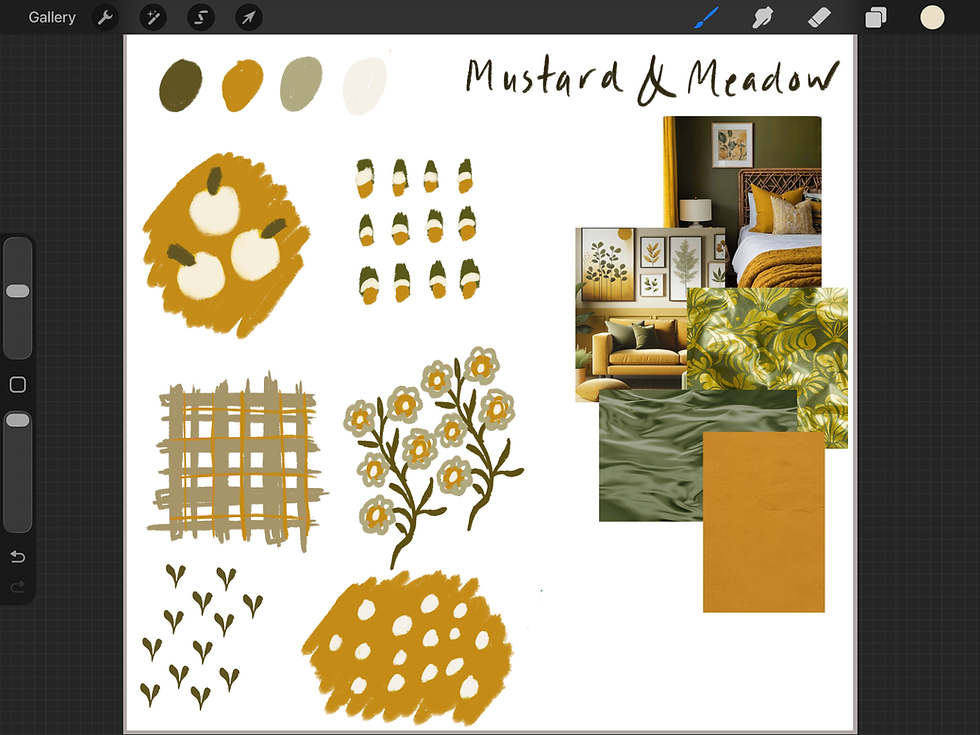
When I’m happy with the outcome of the idea board, I save it as a jpg to my camera roll and also in a folder on my computer (better safe than sorry, right?)
Done! Now you have a super simple idea board that you can return to when the time is right to start designing a new collection.
Comments